









































Your cloud files in your AI tools — like a desktop folder
RaiDrive puts every storage it supports on a drive letter. AI tools that work with folders on your PC read the files there and save their results in the folder you choose — without downloading or uploading files yourself.
 Claude Desktop
Claude Code
Claude Desktop
Claude Code
 ChatGPT
Codex
ChatGPT
Codex
 Gemini
 Antigravity
 Microsoft Copilot
 GitHub Copilot CLI
From Excel to PowerPoint
“Analyze the yearly export results in this folder and make a PowerPoint presentation.”
The AI tool reads the workbooks in the cloud folder, then creates and saves the presentation.
Read-only for safety
Connect the drive read-only so an AI tool cannot change or delete the originals.
Every storage RaiDrive supports
Personal and business clouds, S3-compatible object storage, and NAS over WebDAV, SFTP and FTP.
Mount a Cloud Storage like a USB drive
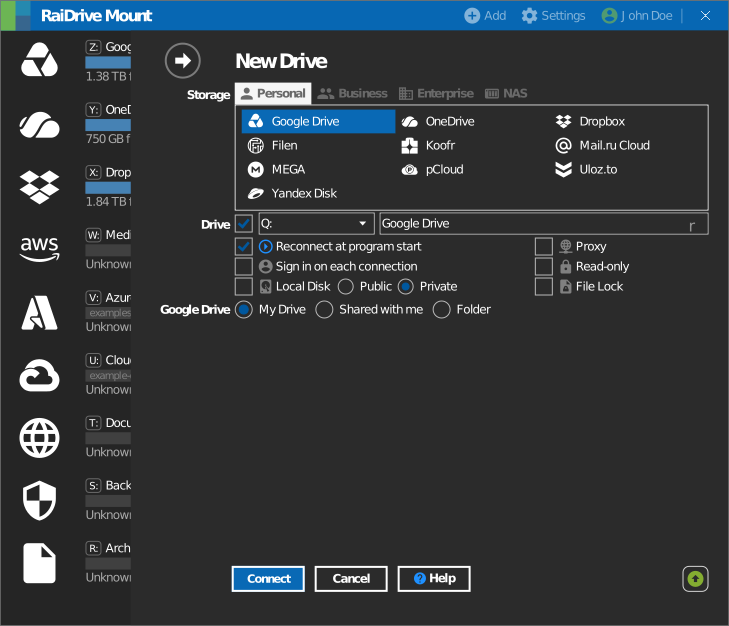
Easily mount various cloud storage services like Google Drive, OneDrive, Dropbox, AWS, and Azure, as well as WebDAV, SFTP, and FTP.
Use files instantly without syncing and manage them effortlessly. Try it for free today!
Like a USB Drive
RaiDrive connects cloud storage like a USB drive on your computer. You can open, edit, and save files directly in Windows File Explorer or Linux file manager.